Must-Have Gadgets For Remote Work

In today’s digital age, remote work on the go has become a reality for many. Whether you’re journeying across bustling cities or serene landscapes, the right gadgets are crucial for maintaining productivity. Portable tech not only ensures seamless connectivity but also offers the convenience of transforming any location into a functional workspace. For those embracing workations, having the right tools can make the difference between a chaotic experience and a smooth, efficient workflow. Dive in as we explore essential gadgets that keep you productive and connected, wherever your adventure leads.
https://amzn.to/4939GSZ
Feather-Light Laptops
When it comes to remote work on the go, having a feather-light laptop is invaluable. These devices combine portability with powerful performance, making them perfect for travelers. Ultraportable laptops are designed to be lightweight and sleek, fitting easily into any travel bag. They offer long battery life to keep you productive during long flights or power outages. Models like the Lenovo ThinkPad X1 Carbon and Asus Zenbook 14 OLED Touch exemplify these attributes, ensuring you never miss a beat, whether you’re editing documents or hosting video calls.
| Model | Weight | Battery Life | Performance |
|---|---|---|---|
| Apple MacBook Air (2025, M4) | 2.8 lbs | Up to 18 hours | Apple M silicon, snappy performance |
| Lenovo ThinkPad X1 Carbon | 2.49 lbs | Up to 15 hours | Intel Core, excellent multitasking |
| Asus Zenbook 14 OLED Touch | 3 lbs | Up to 14 hours | Intel/AMD, vibrant OLED display |
These laptops are not just about convenience; they are about ensuring you have the best tools to succeed, wherever your work takes you. With robust connectivity options and high-quality displays, these feather-light laptops are a traveler’s best companion.
Noise-Canceling Earbuds
In the bustling world of remote work, achieving focus is essential, and noise-canceling earbuds are your secret weapon. These devices utilize active noise cancelling (ANC) technology to create a serene audio environment, perfect for working in noisy locations.
Apple AirPods Pro 3 leads the pack with unmatched noise cancellation and sound quality, making them the top choice for many. For those who prefer Sony, the Sony WF-1000XM5 offers superior noise-canceling capabilities. If budget is a concern, the Earfun Air Pro 4 Plus delivers premium sound for under $80.
“Noise-canceling technology not only enhances listening experiences but also provides health benefits, such as improved concentration and reduced distractions,” notes Healthline.
Whether you’re on a train or in a crowded café, these earbuds transform any setting into a productive workspace. Choose the model that best fits your needs and budget, and enjoy the tranquility of focused work, no matter where you are.
Pocket-Size 5G Routers
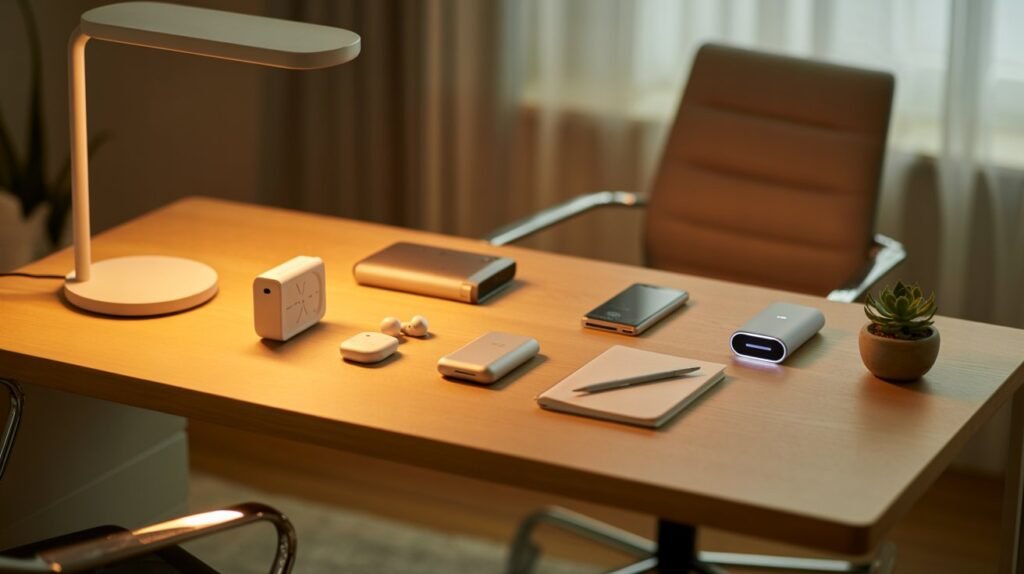
In the age of workations and flexible work environments, having a reliable internet connection is non-negotiable. Enter the world of pocket-size 5G routers, essential for maintaining connectivity on the go. These devices provide fast and stable internet, a necessity for digital nomads and remote workers.
The demand for these routers is soaring, and for good reason. Models like the TP-Link M7350 and Huawei 5G Mobile WiFi Pro offer exceptional connectivity. They support speeds up to 300 Mbps, ensuring you stay connected even in remote areas. With 5G technology, these routers deliver average speeds of up to 10 Gbps, significantly faster than 4G, providing a seamless browsing and work experience.
Moreover, 5G routers offer lower latency and can handle more simultaneous connections, making them ideal for work tasks that require stable internet. As the workation trend continues to grow, having a portable 5G router is crucial for anyone looking to blend work with leisure effectively.
Solar Power Banks
https://amzn.to/3LcV3V9
In remote work settings, access to power can be limited, making solar power banks an invaluable asset. They ensure that your devices remain charged without the need for traditional outlets, harnessing the sun’s energy for a sustainable and eco-friendly solution. Not only do they provide a reliable power source, but they also help reduce your carbon footprint.
Among the top solar power banks, the BigBlue SolarPowa 28 stands out with its ability to charge multiple devices simultaneously and its high direct solar charging speed. The Blavor 10W is known for its portability and affordability, perfect for those who prioritize convenience. For backpackers, the FlexSolar E10 Mini offers unparalleled portability.
| Model | Direct Charging Speed | Portability | Functionality |
|---|---|---|---|
| BigBlue SolarPowa 28 | 9.5 | 6.5 | 9.0 |
| Blavor 10W | 6.0 | 8.0 | 9.0 |
| FlexSolar E10 Mini | 5.5 | 9.5 | 8.0 |
These power banks are compact and travel-friendly, making them ideal for remote work on the go. Their design ensures you have a lasting power source, giving you peace of mind and the ability to stay productive, no matter where your work takes you.
Signal-Boosting Apps
For those embracing remote work on the go, maintaining a strong internet connection is crucial. Fortunately, there are apps that automatically switch to the strongest signal, ensuring seamless connectivity. These apps not only help identify weak signal areas but also provide insights into network performance.
Among the top choices, Network Cell Info Lite stands out for its real-time signal strength readings and user-friendly graphs. It’s particularly appreciated by users for troubleshooting dropped calls. OpenSignal offers comprehensive coverage maps and speed tests, helping remote workers pinpoint the best carrier in any location. Lastly, LTE Discovery provides insights into LTE performance and hidden bands, making it a favorite among tech-savvy users.
Although user testimonials are sparse, these apps are widely recommended in tech communities for their reliable performance and ease of use. By incorporating these tools, remote workers can remain productive and connected, no matter where their work takes them.
Battery-Saving Hacks
When working remotely, especially in locations without easy access to power outlets, maximizing battery life is essential. Here are some practical tips to keep your devices running longer:
Turn On Power Saving Mode: Activate this feature to limit functions that drain battery life. Most devices, including Samsung and Google phones, offer this option, reducing networking, syncing, and location services.
Adjust Screen Brightness: Lower your display brightness and disable auto brightness to prevent unnecessary battery drain. This simple adjustment can significantly extend usage time.
Manage Your Lock Screen: Turn off the Always-On Display feature to save battery. Set it to activate only when tapped or during specific times.
Set Screen Timeout: Reduce the screen timeout duration so your display turns off sooner when not in use, conserving power effectively.
Turn Off Background App Updates: Limit background activity of apps not in use. Check battery usage settings to identify and manage apps that drain battery life.
By implementing these battery-saving strategies, you can enjoy longer device life and stay productive during your workation adventures.
https://blissfullway.com/#google_vignette
Conclusion
Embracing remote work on the go becomes seamless with the right gadgets: feather-light laptops, noise-canceling earbuds, and pocket-size 5G routers enhance your productivity wherever you are. Coupled with solar power banks and signal-boosting apps, you’re equipped to tackle any task. Being well-prepared ensures you can work efficiently, even in the most remote locations. As you embark on your next workation, remember to pack smart and stay adaptable. Ready to transform any spot into your personal office? Pack your tech essentials and seize the day!
https://amzn.to/4pgZble
FAQs on Remote Work Gadgets
Q: What are common concerns about remote work gadgets? A: One major concern is battery life. Users often worry about their devices running out of power during crucial tasks. Connectivity issues and device durability during travel are also frequently mentioned. Ensuring your gadgets are compatible with different power outlets and internet standards worldwide can mitigate these concerns.
Q: What tips can help with troubleshooting and maintenance? A: Regularly updating your device software is crucial for optimal performance and security. Activate features like Adaptive Battery and Power Saving Mode to extend usage time. For connectivity issues, consider using apps that automatically connect to the strongest available signal. Clean your devices regularly, especially after travel, to keep them in good working condition.
“Consistent maintenance and smart settings adjustments can significantly improve the lifespan and performance of your tech devices.” – Tech Expert Advice
By addressing these common concerns and following practical maintenance tips, you can ensure a seamless remote working experience, no matter where you are.